

POS Software Development Company
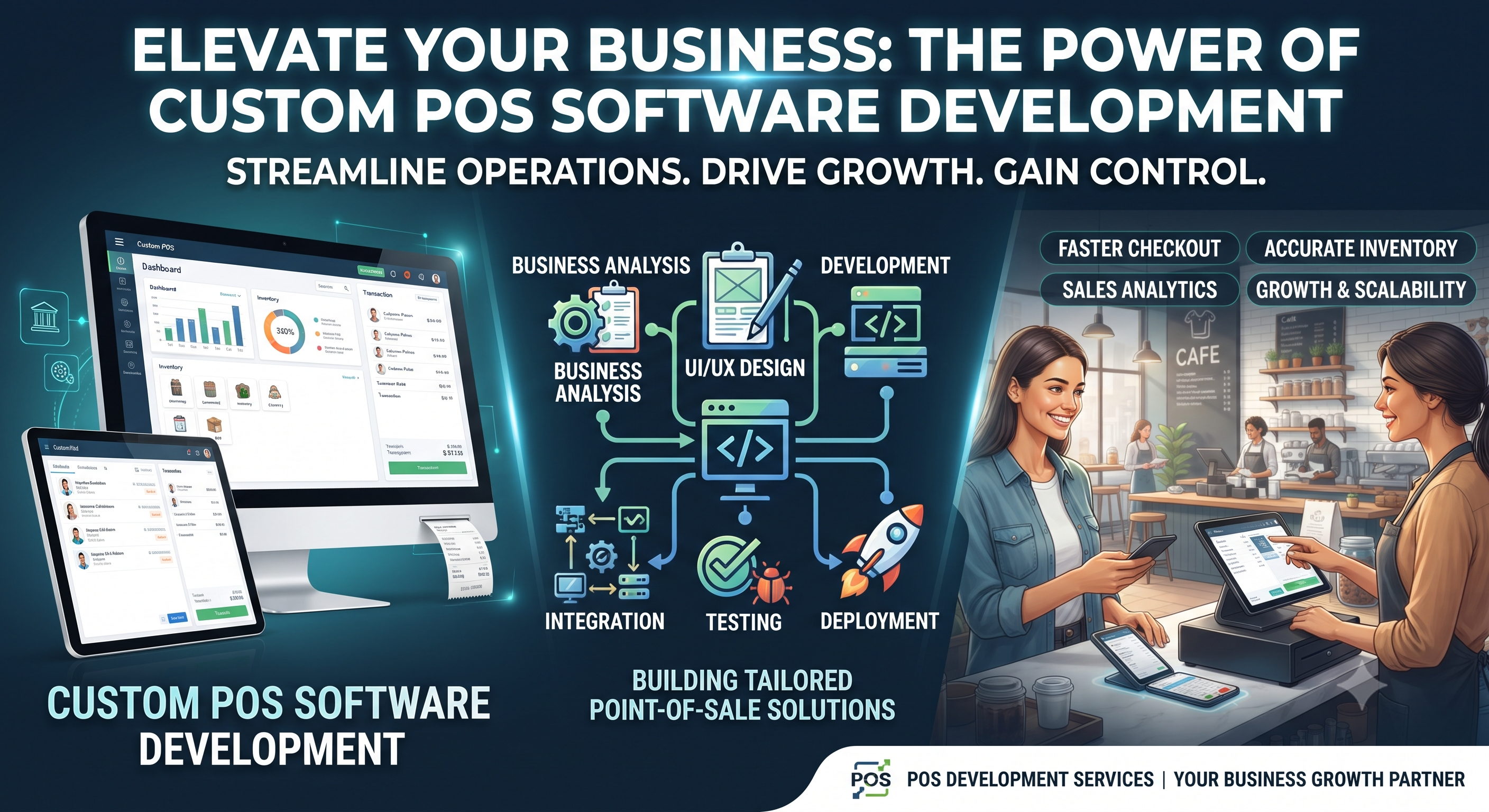
Build Smart, Secure & Scalable POS Solutions
Running a modern business involves much more than simply selling products. Businesses need to manage sales, inventory, payments, customers, employees, reports, and daily operations—all while providing a smooth experience to their customers.
This is where POS software can make a real difference.
A Point of Sale (POS) system helps businesses manage transactions and connect important parts of their operations through a single platform. From retail stores and supermarkets to restaurants, salons, pharmacies, and service businesses, the right POS solution can reduce manual work and make everyday operations easier.
Choosing the right POS software development company is therefore an important decision. A professional development partner can build a POS system around your business requirements instead of forcing your business to adapt to generic software.
What Is POS Software?
POS stands for Point of Sale. POS software is a digital system that helps businesses process sales and manage related business activities.
A basic POS system can record transactions, generate bills, and accept payments. Modern POS software can do much more, including inventory management, customer management, employee management, analytics, reporting, and integration with other business tools.
For example, when a customer purchases a product from a retail store, the POS system can:
- Record the sale
- Update inventory
- Calculate taxes and discounts
- Generate an invoice or receipt
- Record the payment
- Update sales reports
Instead of maintaining separate records manually, businesses can manage these activities through one centralized system.
Why Do Businesses Need POS Software?
Manual billing and inventory management can become difficult as a business grows. Spreadsheets, notebooks, and disconnected systems can increase the chances of errors and consume valuable time.
A well-designed POS solution can help businesses improve daily operations.
1. Faster Billing and Checkout
A POS system can simplify the billing process and reduce the time required to complete transactions.
Faster checkout can be particularly useful for businesses that handle a large number of customers every day.
2. Better Inventory Management
Knowing what is available, what is selling quickly, and what needs to be reordered is important for any product-based business.
POS software can automatically update inventory when sales are recorded, helping businesses maintain more accurate stock information.
3. Accurate Sales Tracking
Businesses can monitor sales and understand how their revenue is performing.
Reports can provide information about daily, weekly, monthly, or product-level sales depending on the features included in the system.
4. Reduced Manual Work
Automating repetitive activities such as billing, stock updates, and report generation can save employees time.
This allows business owners and staff to focus more on customers and business growth.
5. Better Business Decisions
A POS system can turn daily transactions into useful business data.
Sales reports, inventory information, and customer insights can help business owners identify trends and make more informed decisions.
What Does a POS Software Development Company Do?
A POS software development company designs and develops customized Point of Sale solutions according to the requirements of a business.
Instead of providing only a standard billing application, a development company can create a solution with specific features, integrations, workflows, and interfaces.
The development process may include:
- Business requirement analysis
- UI/UX design
- POS software development
- Database development
- Payment integration
- Inventory integration
- Third-party API integration
- Testing and quality assurance
- Deployment
- Maintenance and support
The exact process depends on the size and requirements of the business.
Custom POS Software vs. Ready-Made POS Software
Businesses generally have two options: use ready-made POS software or develop a customized POS system.
Ready-Made POS Software
Ready-made solutions can be useful for businesses that need standard POS features and want to get started quickly.
However, businesses may have limited control over customization and workflows.
Custom POS Software
Custom POS software is developed specifically for a company's requirements.
It can be designed around the business's existing processes and can include specific features that may not be available in standard software.
For growing businesses with unique workflows or complex requirements, customized POS development can provide greater flexibility.
Key Features of POS Software
A modern POS system can include a wide range of features.
Billing and Invoicing
Create bills, invoices, receipts, discounts, and tax calculations quickly.
Inventory Management
Track stock levels, product movement, low-stock items, and inventory updates.
Customer Management
Store customer information and purchase history to support better customer service.
Employee Management
Manage employee access, roles, activities, and permissions.
Sales Reports and Analytics
Monitor sales performance and generate useful reports for business analysis.
Multi-Store Management
Businesses with multiple outlets can manage different locations through a centralized POS system.
Payment Integration
A POS solution can support different payment methods depending on the business requirements and available integrations.
Barcode Integration
Barcode scanners can make product identification and billing faster and more accurate.
Tax and GST Support
For businesses operating in India, POS software can be designed to support applicable GST and tax-related billing requirements.
Types of Businesses That Can Use POS Software
POS systems are not limited to retail stores. Different industries can benefit from specialized POS solutions.
Retail Stores
Retail POS software can help manage products, inventory, billing, customers, and sales reports.
Restaurants and Cafes
Restaurant POS systems can support order management, table management, billing, kitchen workflows, and payment processing.
Supermarkets
Supermarket POS solutions can handle large product catalogs, barcode scanning, inventory tracking, and high-volume transactions.
Pharmacies
Pharmacy POS software can be designed to manage products, billing, inventory, and other business-specific requirements.
Salons and Spas
Salon POS systems can combine appointment management, billing, customer records, staff management, and service tracking.
Wholesale Businesses
Wholesale POS solutions can support bulk orders, customer accounts, pricing rules, inventory, and invoicing.
How to Choose the Right POS Software Development Company
Selecting a development company is an important step because the quality of your POS software can directly affect daily business operations.
Consider the following factors before choosing a development partner.
Industry Experience
Look for a company that understands your business sector and has experience developing software for similar requirements.
Customization
Make sure the development company can customize the software according to your workflows rather than offering only fixed features.
Security
POS systems handle important business and customer information. Ask about data security, user permissions, secure authentication, backups, and other security practices.
Scalability
Your POS system should be able to grow with your business.
If you open additional stores or add more products and users, the system should be capable of handling increased requirements.
Integration Capabilities
Check whether the company can integrate your POS with payment gateways, accounting software, inventory systems, CRM platforms, e-commerce platforms, or other tools you already use.
Support and Maintenance
Software development does not necessarily end after deployment. Regular updates, bug fixes, security improvements, and technical support may be required.
Choose a development partner that can provide reliable long-term support.
POS Software Development Process
A professional POS software development project generally follows several stages.
Step 1: Requirement Analysis
The development team first understands your business, current workflow, users, challenges, and required features.
Step 2: UI/UX Design
The interface is designed to make billing and daily operations simple for employees.
A POS system should prioritize usability because employees may use it continuously throughout the day.
Step 3: Software Development
Developers build the POS application, database, APIs, integrations, and required functionality.
Step 4: Testing
The software is tested for functionality, performance, security, usability, and compatibility.
Step 5: Deployment
After testing and approval, the POS system is deployed for business use.
Step 6: Maintenance and Support
After launch, the development team can provide updates, troubleshooting, improvements, and technical support.
Benefits of Custom POS Software Development
A customized POS solution can provide several advantages for growing businesses.
Business-Specific Features: Build features around your exact business requirements.
Improved Efficiency: Automate repetitive billing, inventory, and reporting tasks.
Better Control: Manage users, permissions, products, sales, and reports from a centralized system.
Scalability: Expand the system as your business grows.
Integration: Connect the POS with other business applications.
Data-Driven Decisions: Use sales and inventory reports to understand business performance.
How Much Does POS Software Development Cost?
The cost of POS software development depends on the complexity of the project.
Factors that can influence the cost include:
- Number of features
- Number of users
- Number of business locations
- Web, desktop, or mobile requirements
- UI/UX complexity
- Payment integrations
- Inventory management
- Third-party integrations
- Reporting and analytics
- Security requirements
- Maintenance and support
A basic billing system will generally require a different development budget than a large multi-store POS platform with advanced integrations.
For this reason, it is better to discuss your requirements with a development company and receive a project-specific estimate rather than relying on a fixed generic price.
Why Invest in Professional POS Software Development?
The right POS system can become more than a billing tool. It can act as an important operational platform for your business.
By connecting sales, inventory, customers, employees, payments, and reports, POS software can give business owners better visibility into everyday operations.
A professional POS software development company can help turn your business requirements into a secure, user-friendly, and scalable software solution.
Final Thoughts
A reliable POS system can simplify everyday business operations while giving owners better control over sales, inventory, customers, and reporting.
Whether you operate a retail store, restaurant, supermarket, pharmacy, salon, wholesale business, or another service-based company, a customized POS solution can be designed around your specific needs.
When choosing a POS software development company, don't focus only on development cost. Consider experience, customization, security, scalability, integration capabilities, and long-term technical support.
The right development partner can help you build a POS solution that not only handles today's transactions but also supports your business as it grows.


Post a Review